
Ordering Archived Imagery
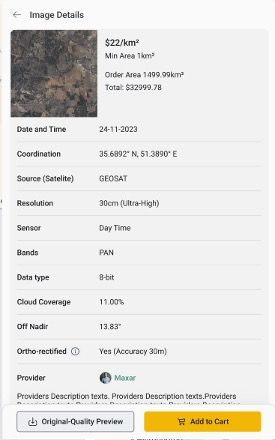
This tutorial explains how to order archived imagery in LandEye. After defining your area of interest on the platform, as explained in How to Search for Available Imagery Using AOI, you can place an order for the selected archived imagery. Follow these steps: Once you’ve reviewed the selected acquisition details and decided to proceed, click the “Add to Cart” button within the Image Details panel.
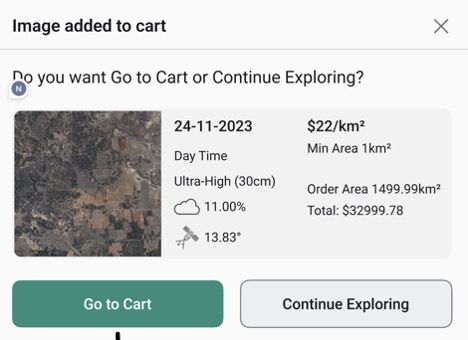
A confirmation pop-up appears, prompting you to confirm the order. Click the “Go to Cart” button to continue to the cart.
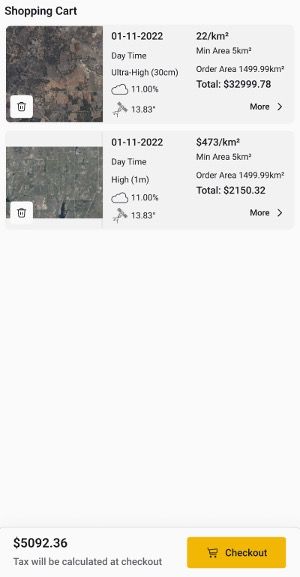
The Shopping Cart displays all imagery added to your cart. At the bottom of this window, you can see the total price of the items in your list. Clicking on an acquisition shows its image details. Click the “Checkout” button to complete your order.
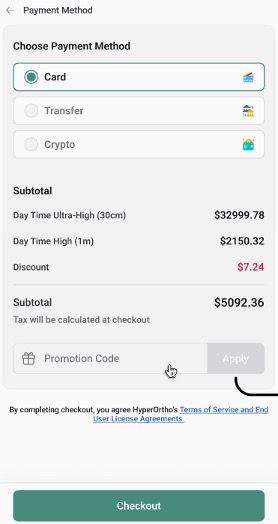
The next window prompts you to choose a payment method. You can also see the subtotal for your order, with an itemized breakdown. If you have a promotion code, enter it in the field to apply the discount to your purchase. Click the “Checkout” button to submit the order.
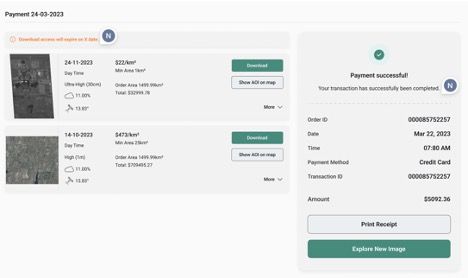
If the payment is successful, you’re redirected to your profile and see the order receipt in the sidebar. You can download the purchased imagery from your profile dashboard.