
Placing a Tasking Order
If no imagery is available for the selected AOI, users can submit a tasking order to schedule new imagery acquisition. To place a tasking order: After defining your AOI on the map, choose the image sensor type. Click the “Next” button in the bottom-right corner of the window:
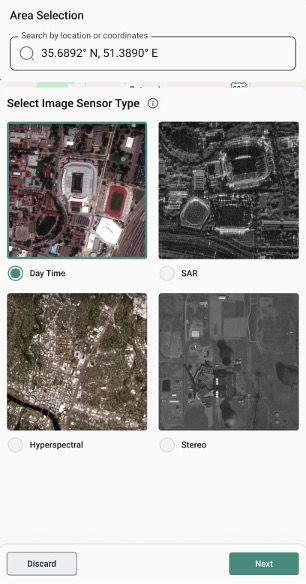
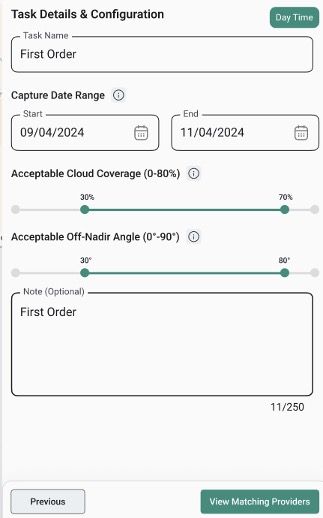
In the next step, configure the tasking request:
- Task name
- Capture date range
- Acceptable cloud coverage
- A note for further explanation (optional)
Once completed, click the “View Matching Providers” to see matching providers.
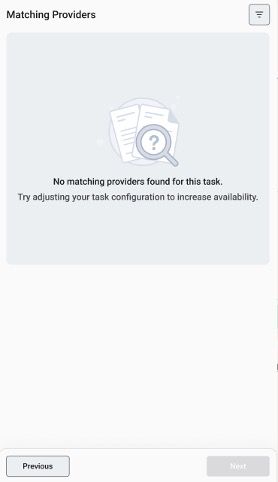
If no providers match your tasking criteria, a message appears prompting you to adjust the configuration to expand provider availability.
If providers are available, you see a list of providers eligible to fulfill your tasking order, with detailed information such as spectral bands, minimum area coverage, and other technical parameters. Click the “Next” button after selecting a provider to proceed:
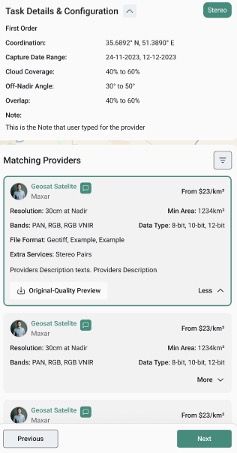
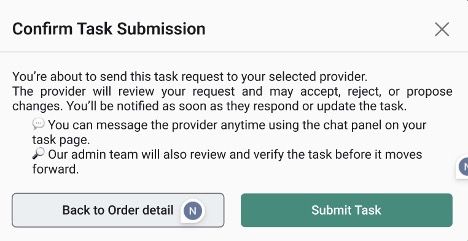
A confirmation window appears to review your order. Select ‘Submit Task’ to finalize the order.
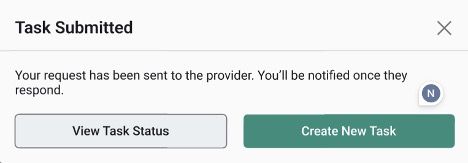
A confirmation message appears indicating that your order has been successfully submitted. You can either create a new tasking order or review the status of existing orders.